How to Manually Run a Class That Implements the Schedulable Interface
 נכתב על ידי ליאור לביא, עודכן בתאריך 01/11/2023
You've written a scheduled class, a class that implements the Schedulable interface, and now you want to run it manually immediately? Follow these steps:
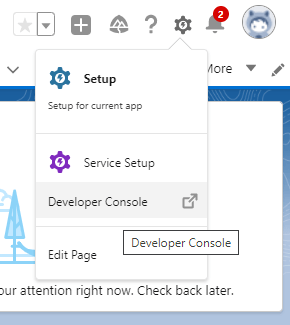
- Click the gear icon to open the Setup menu and select Developer Console.
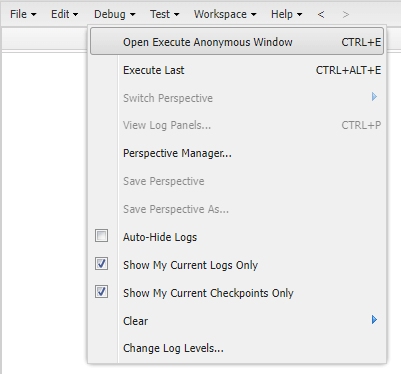
- In the menu bar, choose Debug > Open Execute Anonymous Window, or press the keyboard shortcut Ctrl + E.
- In the opened window, enter the following code:
MyScheduledClass scheduledClass = new MyScheduledClass(); scheduledClass.execute(null); - Click the Execute button.
Your scheduled code will run immediately, and you can check if it is working as expected.